Try it
Round every edge. Then turn it over.
A wall bracket made in Kloss, with two screw holes and a slot. Drag it round to look at it from any side, and move the slider to change the fillet on every edge at once.
fillet_edges on all edges, 2 mm. Kloss's kernel built it: one undo step.
Each step is Kloss's own STL export of this bracket. At 3 mm the kernel refused (the walls are 6 mm thick) and changed nothing, so the slider stops at 2.5.
The window
Everything on one screen.
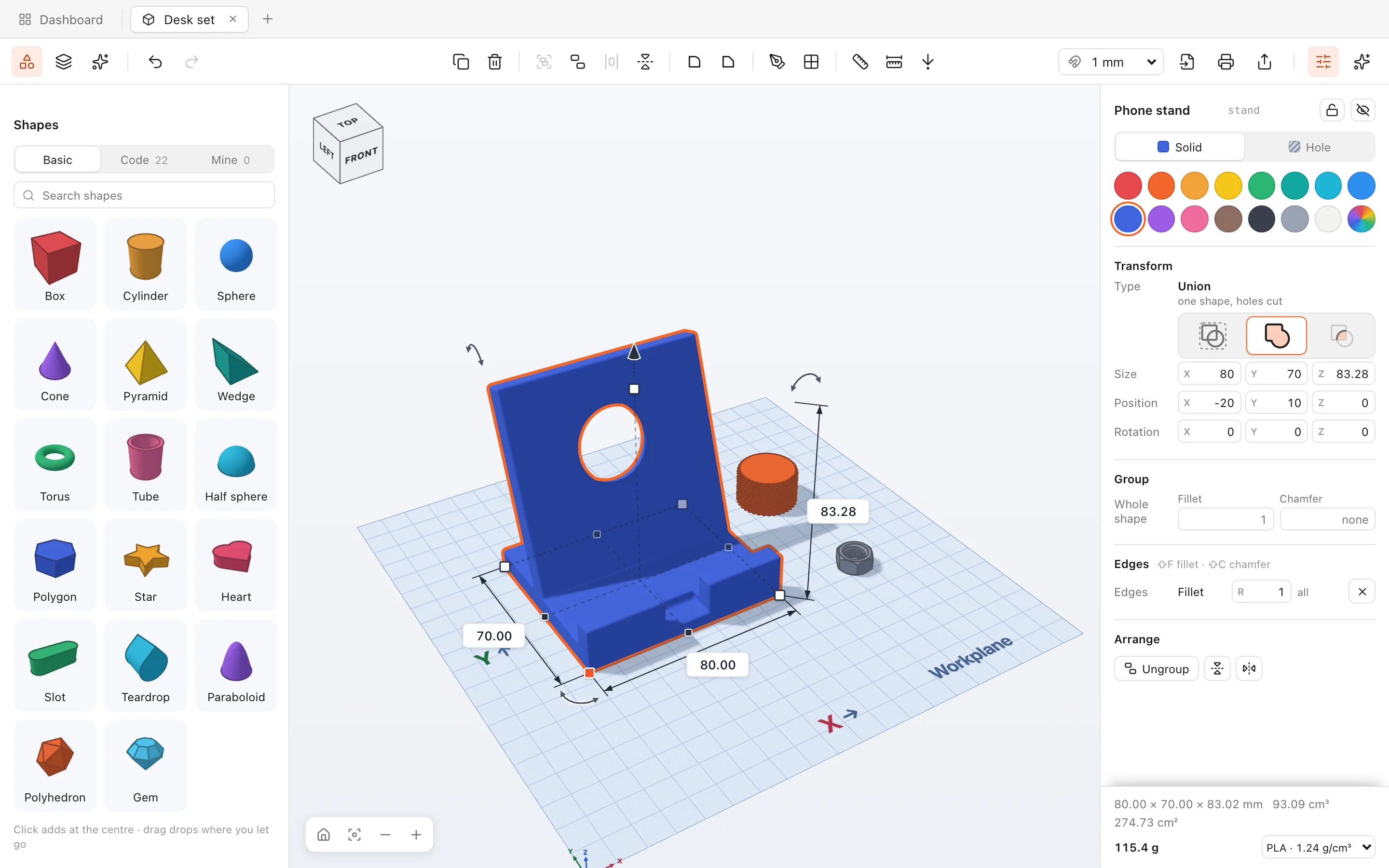
Models in tabs. Shapes on the left, Properties on the right, and a workplane measured in millimetres in the middle.
 1
2
3
4
5
6
1
2
3
4
5
6
- Tabs. Every model in its own tab, next to the Dashboard (⌘1).
- Shapes. 17 basic shapes and 22 code starters. Click to add one, or drop it onto another shape's face.
- Tools. Group, align and mirror, fillet and chamfer, sketch, workplane, ruler and measure.
- The workplane. Handles resize, lift and turn. Click a size and type 80, 2cm or 30+5.
- Properties. Size, colour, solid or hole, the shape's own settings, its fillets, and its weight in your material.
- Print, export and AI. Send the model to your slicer, export STL, OBJ or 3MF, or open the AI on either side.
In the beta
Every feature, on screen.
All of this is in the free beta. It runs on your Mac and saves to local files.
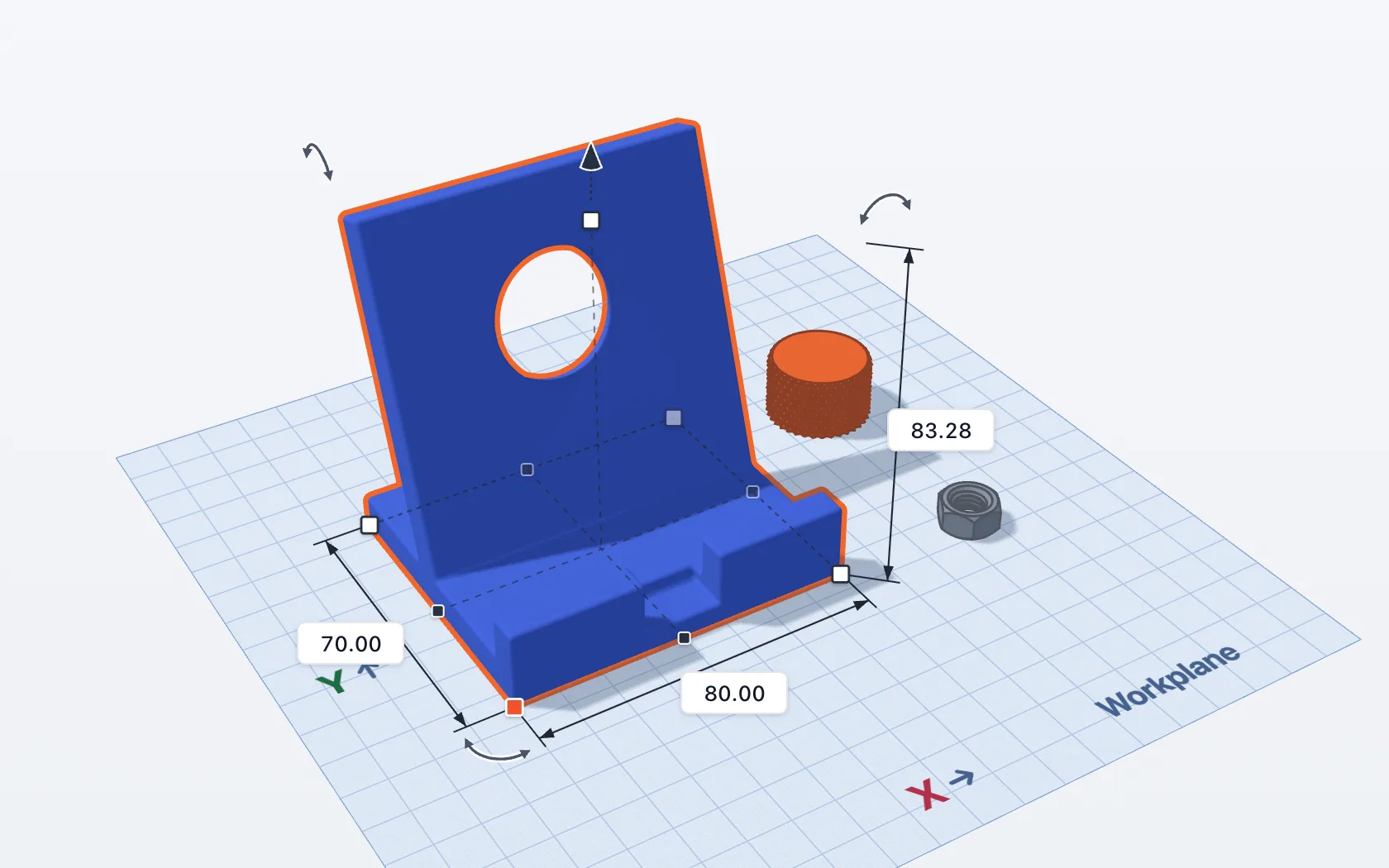
Shapes on a millimetre workplane
Box, cylinder, polygon, star, slot, teardrop, gem and ten more. Pull a handle, turn an arrow, or click a size and type it. Sizes snap to the grid you pick.
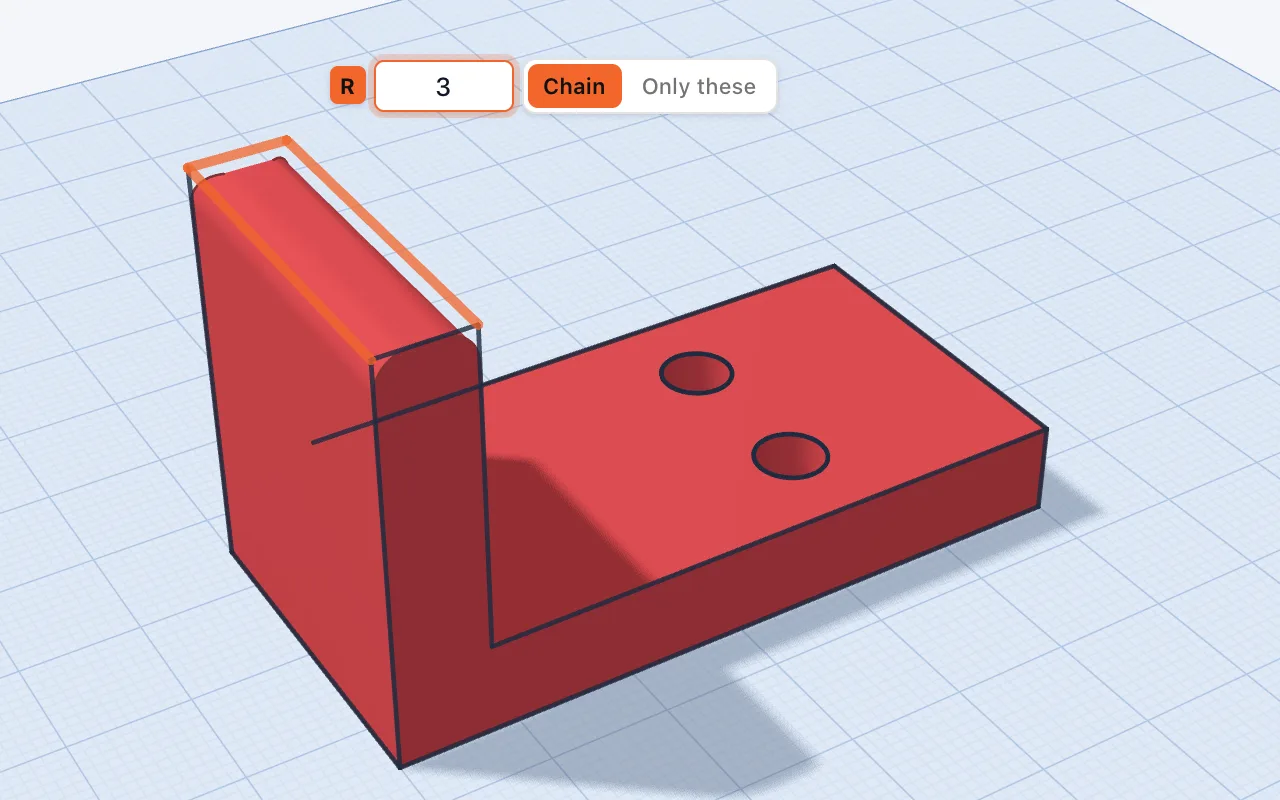
Fillet and chamfer any edge
Press ⇧F, click the edges, type a radius and see it before you press Return. An exact B-rep kernel builds it, even after holes and groups.
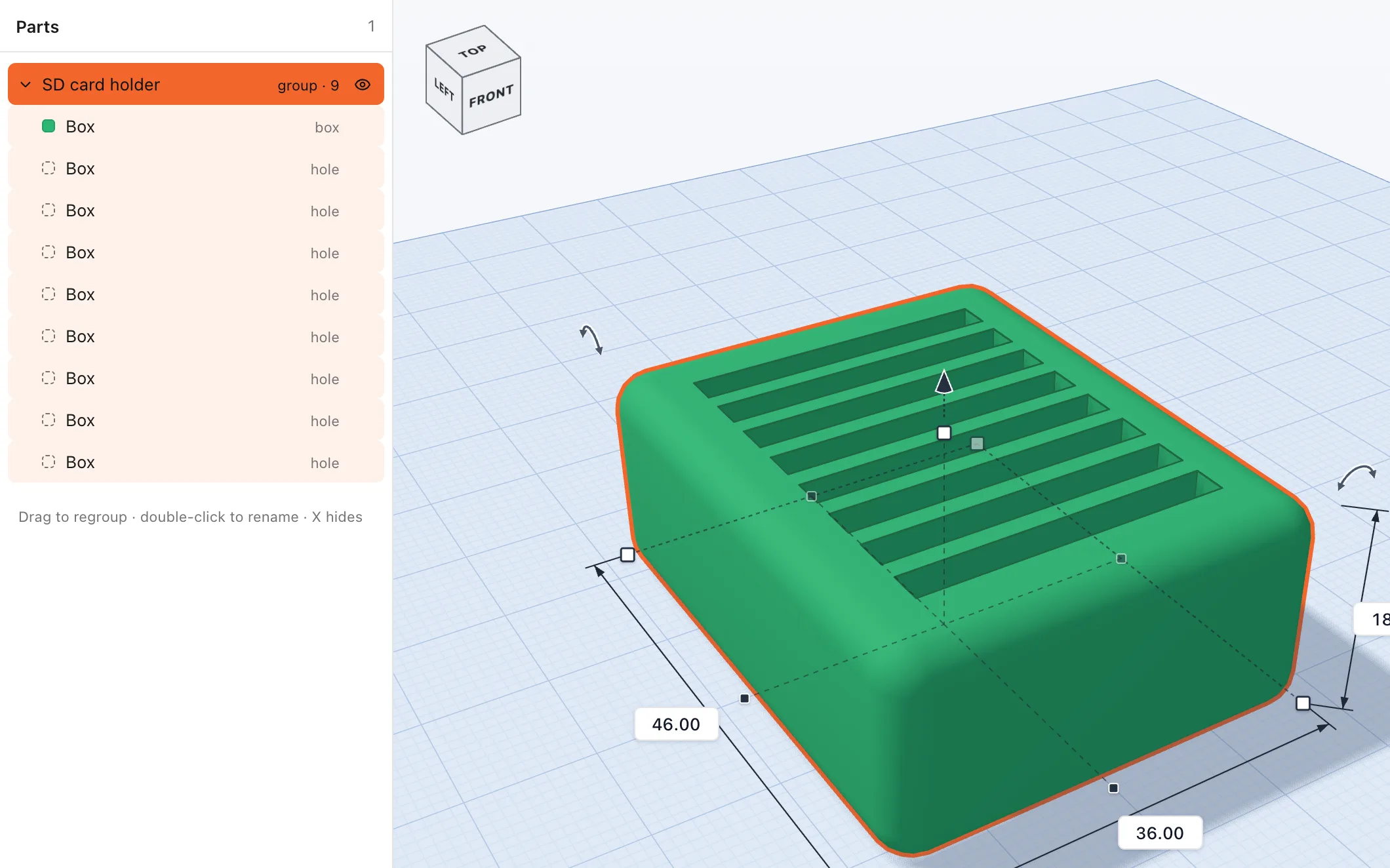
Holes and groups
Make any shape a hole (H) and group it (G): the group is the solids minus the holes. Bundle and intersect too, and every boolean comes out watertight.
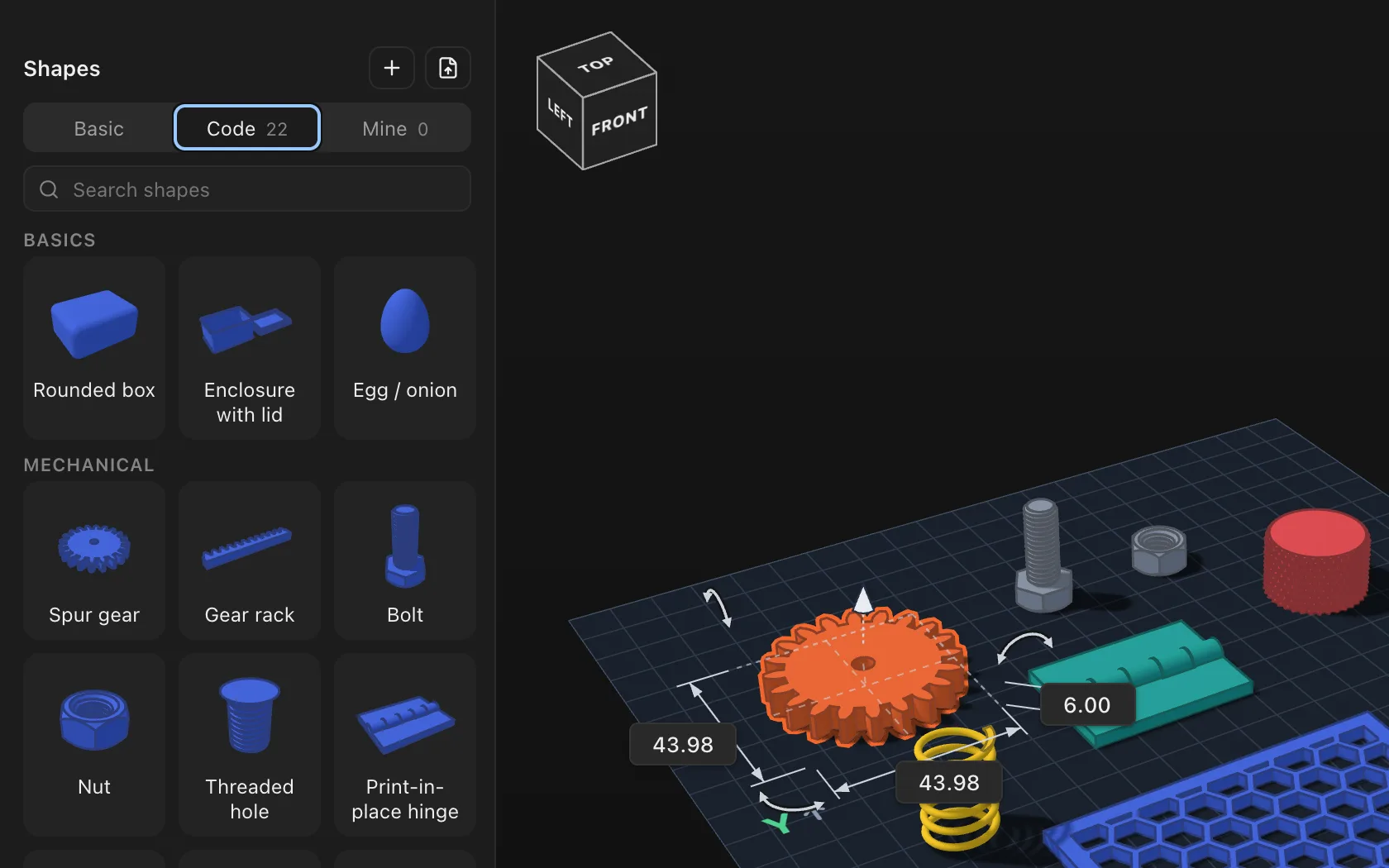
22 parametric starters
Gears and racks, bolts, nuts, threaded holes, a print-in-place hinge, springs, snap-fit clips and enclosures. Pull a starter's handles and its settings follow.
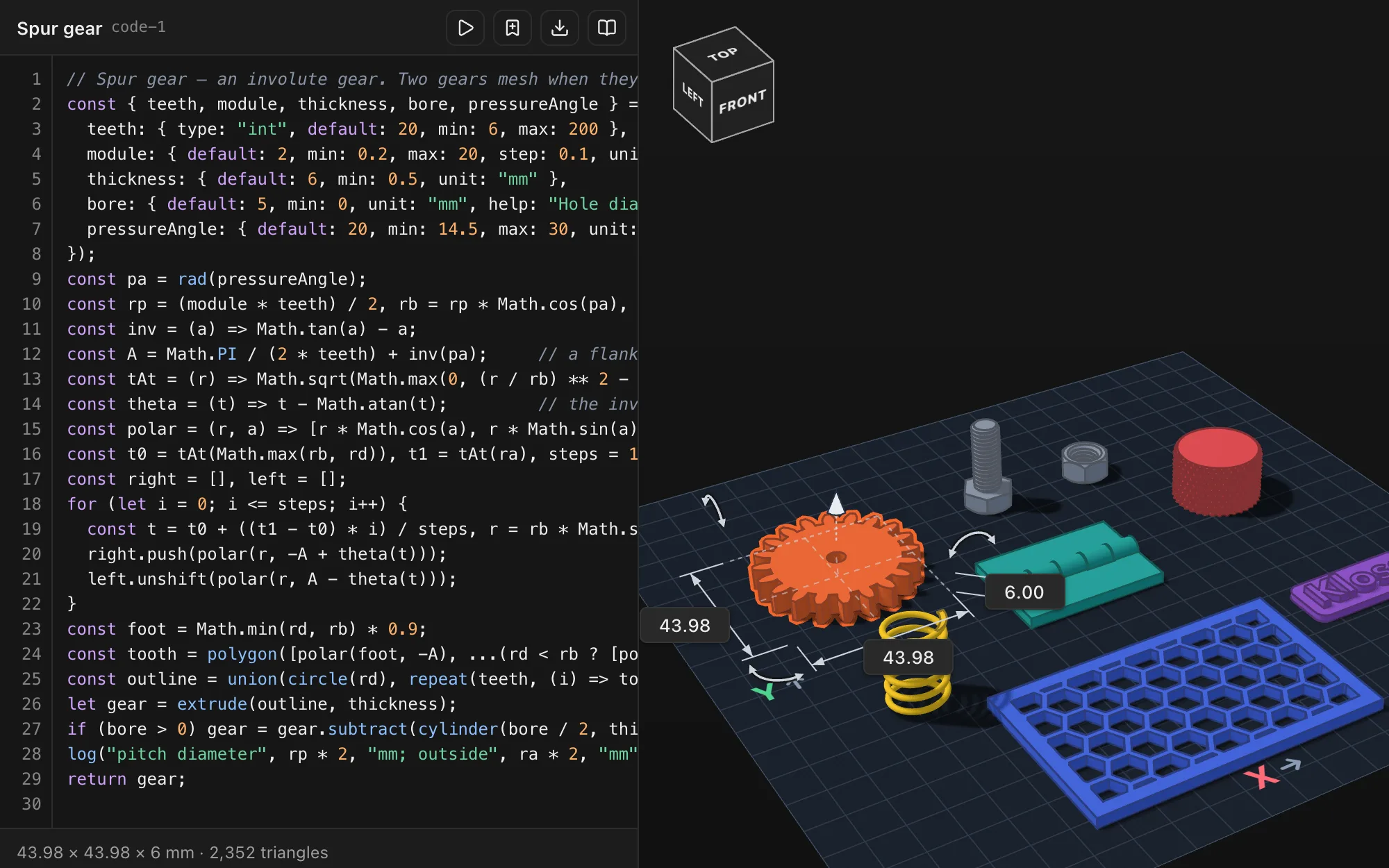
Ask for a part, the AI writes it
Describe what you need and the AI writes it as a code shape: a part with its own settings, like teeth, size or wall thickness, that you change in Properties. Into code? Open the script and edit it yourself. It runs as you type. OpenSCAD files open the same way.
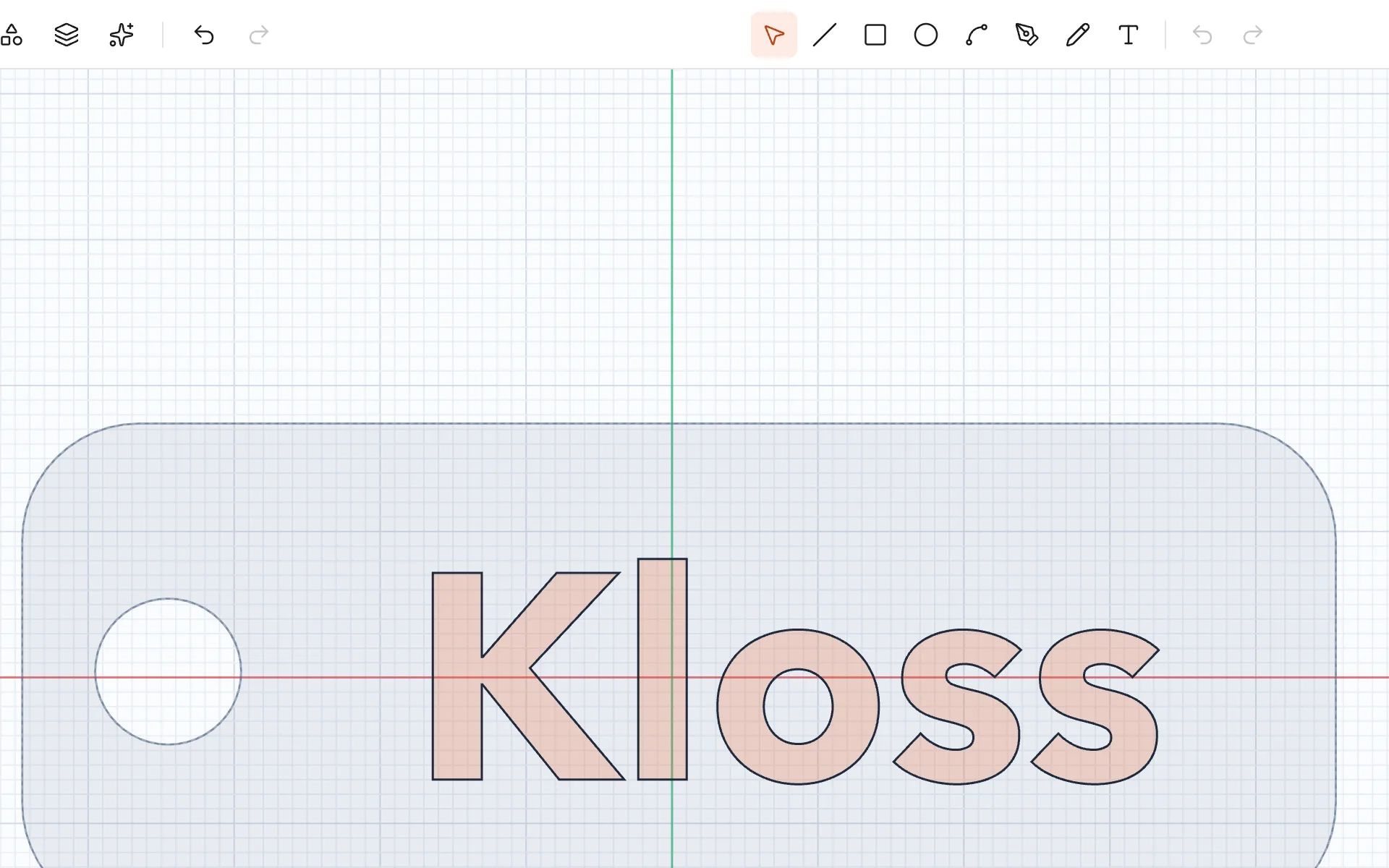
Sketch, extrude, revolve
Press K and draw lines, arcs, curves, rectangles and circles on the workplane or any face, then extrude or revolve. SVG logos come in as sketches.
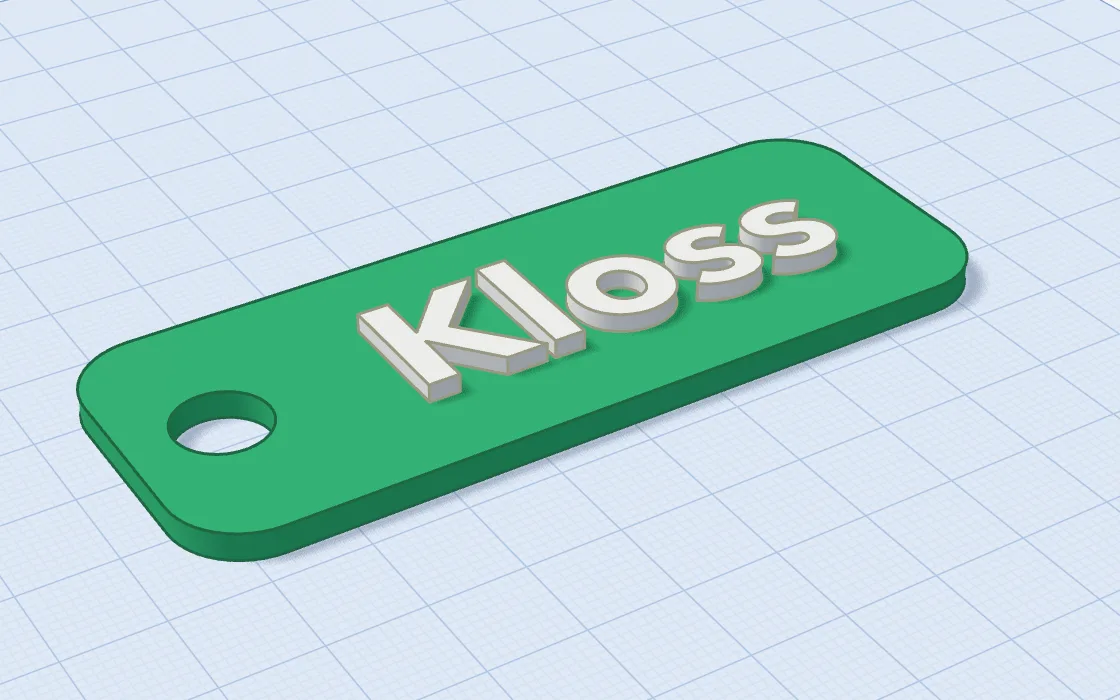
Text in any Mac font
Type a name and pick a font you have. It becomes a solid you can raise, engrave or cut through: key tags, labels and lids.
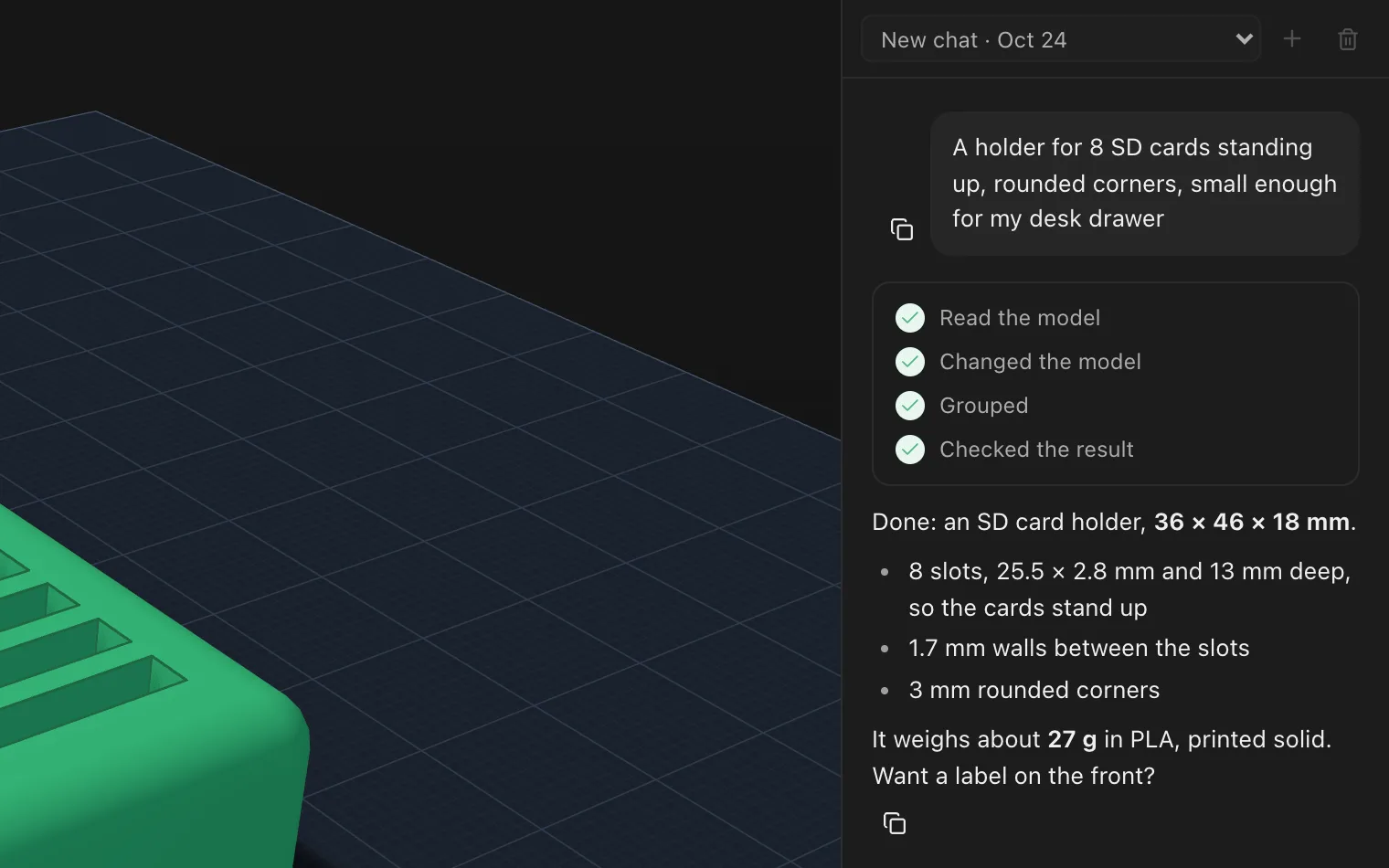
AI beside your model
Claude Code or ChatGPT (Codex) in the sidebar (A), on your own subscription. Describe a part or attach a photo or PDF; it lists each step, and you can undo any of them.
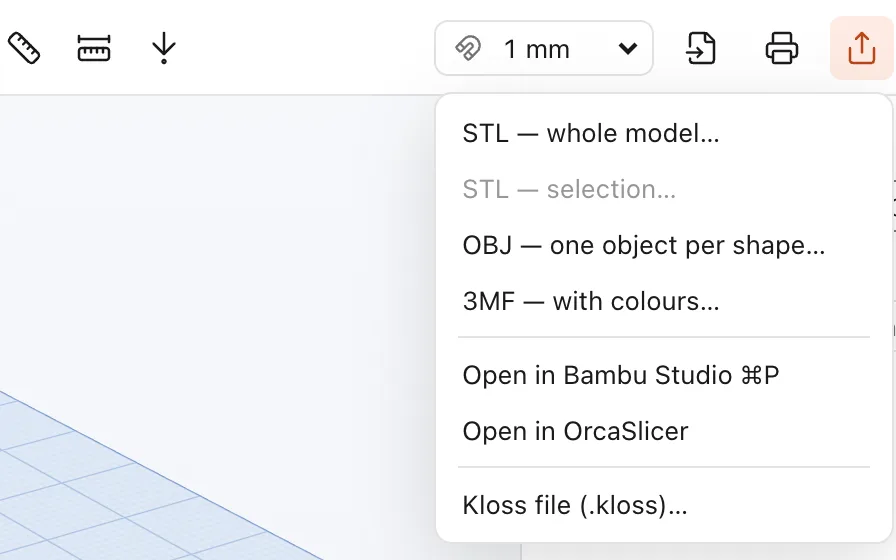
Export, or print in one step
STL, OBJ, or 3MF with your colours. Print… (⌘P) opens the model in Bambu Studio or OrcaSlicer, ready to slice.
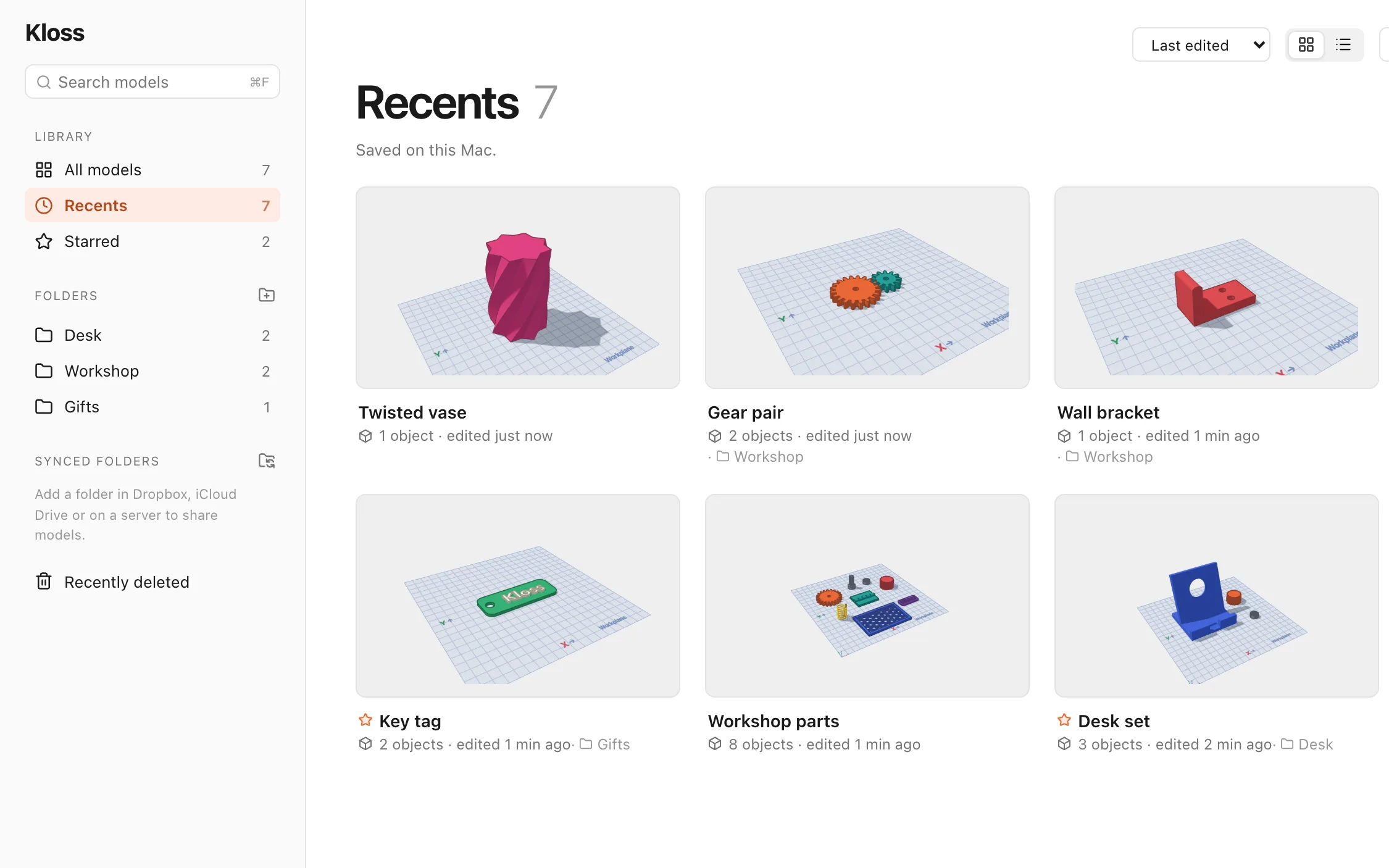
A home for your models
Tabs, folders, favourites and search. Add a synced folder in Dropbox or iCloud Drive and its models open and save in place.
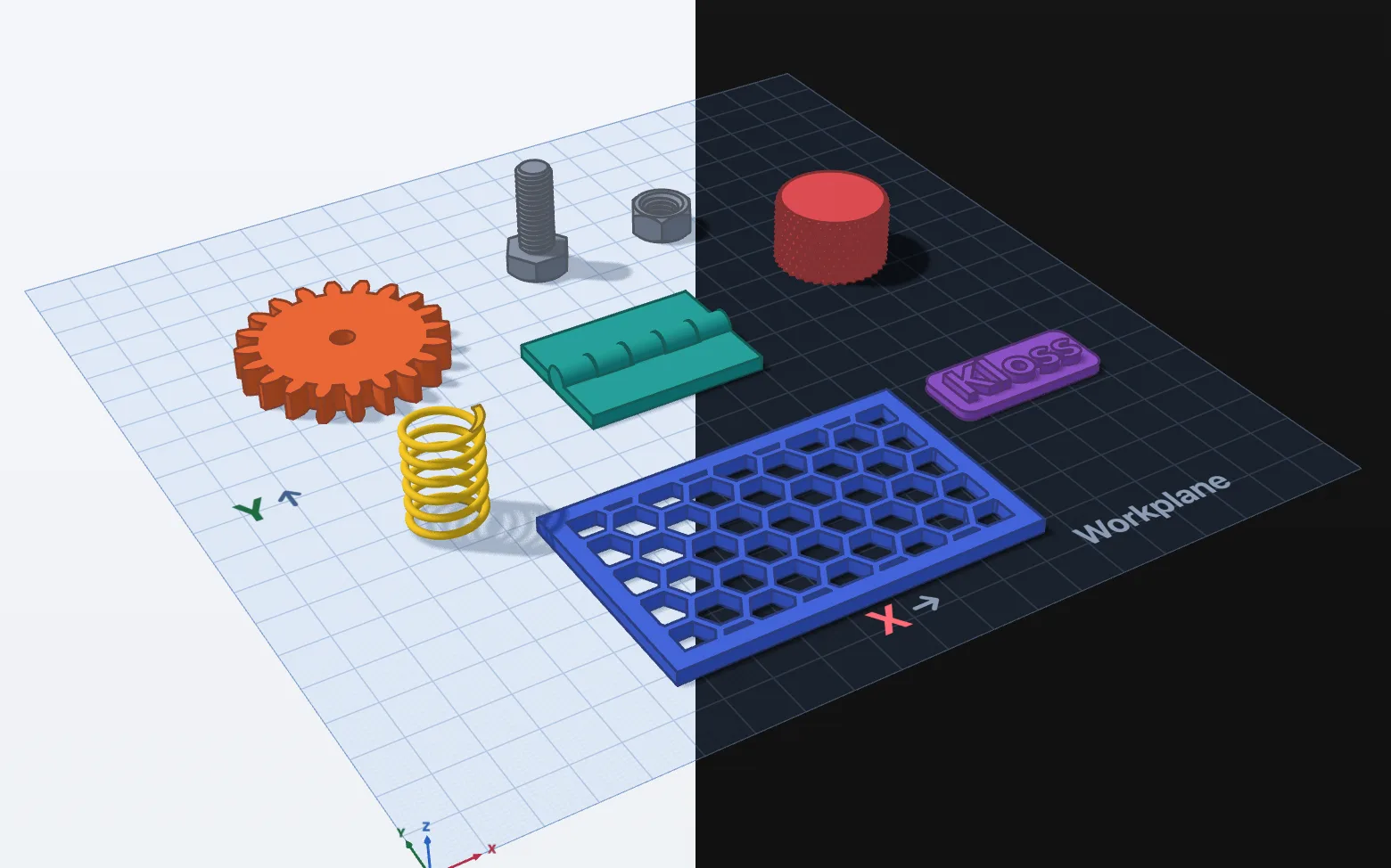
Light and dark, like your Mac
Kloss follows your Mac's appearance as it changes. Models keep their colours, and sizes and handles stay readable in both.
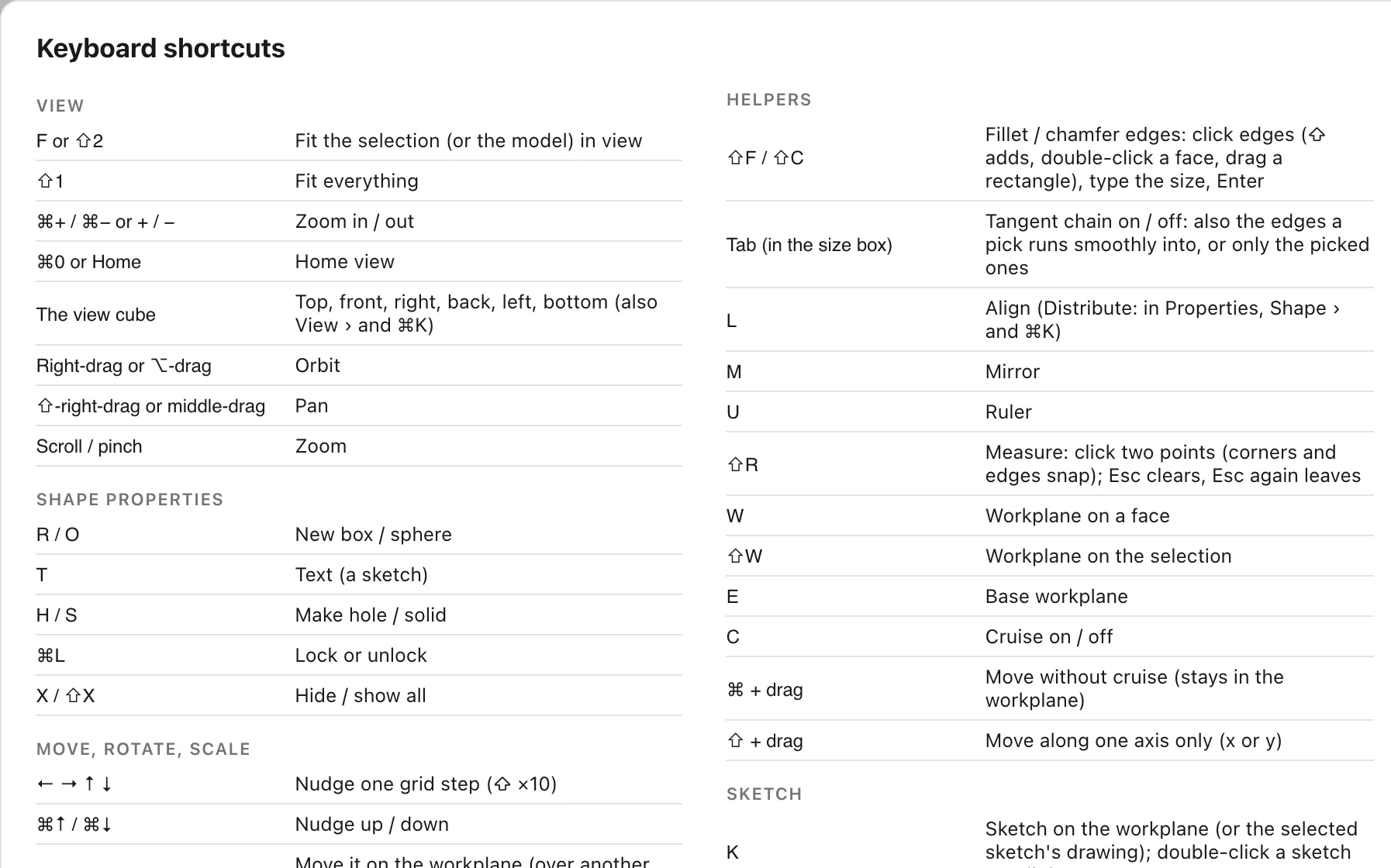
Simple keys
Single letters for shapes and tools, one modifier for the rest, and the Mac's own keys where they exist. ⇧H lists them all and ⌘K finds any command.
Bring your work
Bring your work with you.
Parts from your CAD app, a download site or OpenSCAD open in Kloss, and finished models go straight to your slicer.
In
- STEP
.step.stpfrom Shapr3D, Fusion, Onshape, SolidWorks or FreeCAD, with names, colours and assemblies. They come in as meshes, so Kloss's fillets don't reach them. - Meshes
.stl.obj.3mf, checked as closed solids. Resize them, cut holes in them and group them like any shape. - OpenSCAD
.scad, read by Kloss's own interpreter. Customizer variables become settings; MCAD and BOSL2 work. - SVG
.svglogos and outlines, as sketches ready to extrude.
Out
- STL
.stl: one closed solid in millimetres, holes cut. - 3MF
.3mfwith each part's name and colour, and OBJ.objwith one object per shape. - Print… ⌘P opens the model in Bambu Studio or OrcaSlicer.
- Kloss
.kloss: one file, yours, on your Mac.
Choose File › Import… (⇧⌘O) or drop files onto the Dashboard or the model. Kloss says what it couldn't bring over, so keep your originals.
For your agents
Your agents can model here too.
While Kloss is open, it runs a small MCP server on your Mac. Any agent you point at it can add shapes, fillet edges, write code shapes, measure, export, and check its own work with a screenshot.
It works in a background tab and never takes over the model you're on. Copy Reference (⇧⌘C) hands it a model, or just the parts you've selected.
# the address and token: Kloss › Dashboard › MCP live
url   http://127.0.0.1:43160/mcp
auth  Bearer <your token>

# some of what an agent can do
get_document       apply {commands}
add_shape          group {union|bundle}
fillet_edges       chamfer_edges
create_code_shape  create_sketch
get_stats          screenshot {ids}
export_model {stl|obj|3mf}
The facts
- A real Mac app
- Native Swift and the system's WebKit, with an exact B-rep kernel built in. macOS 12 or later on Apple silicon.
- Your files
- Models stay on your Mac as plain files. No account and no cloud. It works offline.
- Your AI
- Claude Code or ChatGPT on the subscription you already have, or none at all.
- Free in beta
- No key needed while Kloss is in beta. From release: €79 once, a licence for life.