Try it
One slide. Any brand.
In Trykk, a document picks a brand, and its colours, fonts and logo follow everywhere. Charts start from numbers, not pictures. Pick a brand and a chart type, or change a number, and see the slide redraw.
This page draws a simplified version in your browser. In the app every chart is a real chart, and you can export it to PowerPoint as one.
The window
Everything on one screen.
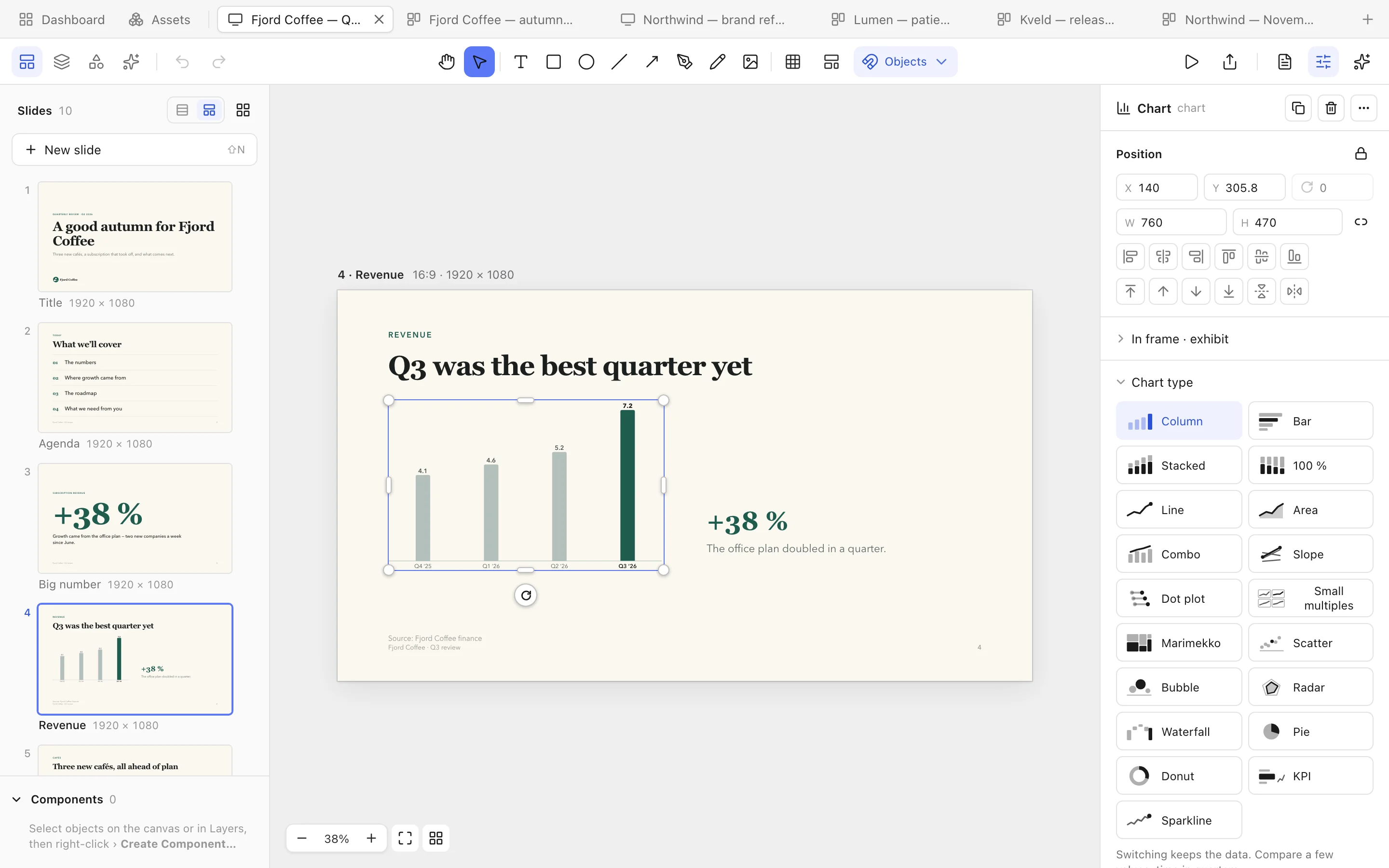
Documents in tabs. Slides on the left, Properties on the right, and a canvas that shows exactly what you'll export.
 1
2
3
4
5
6
1
2
3
4
5
6
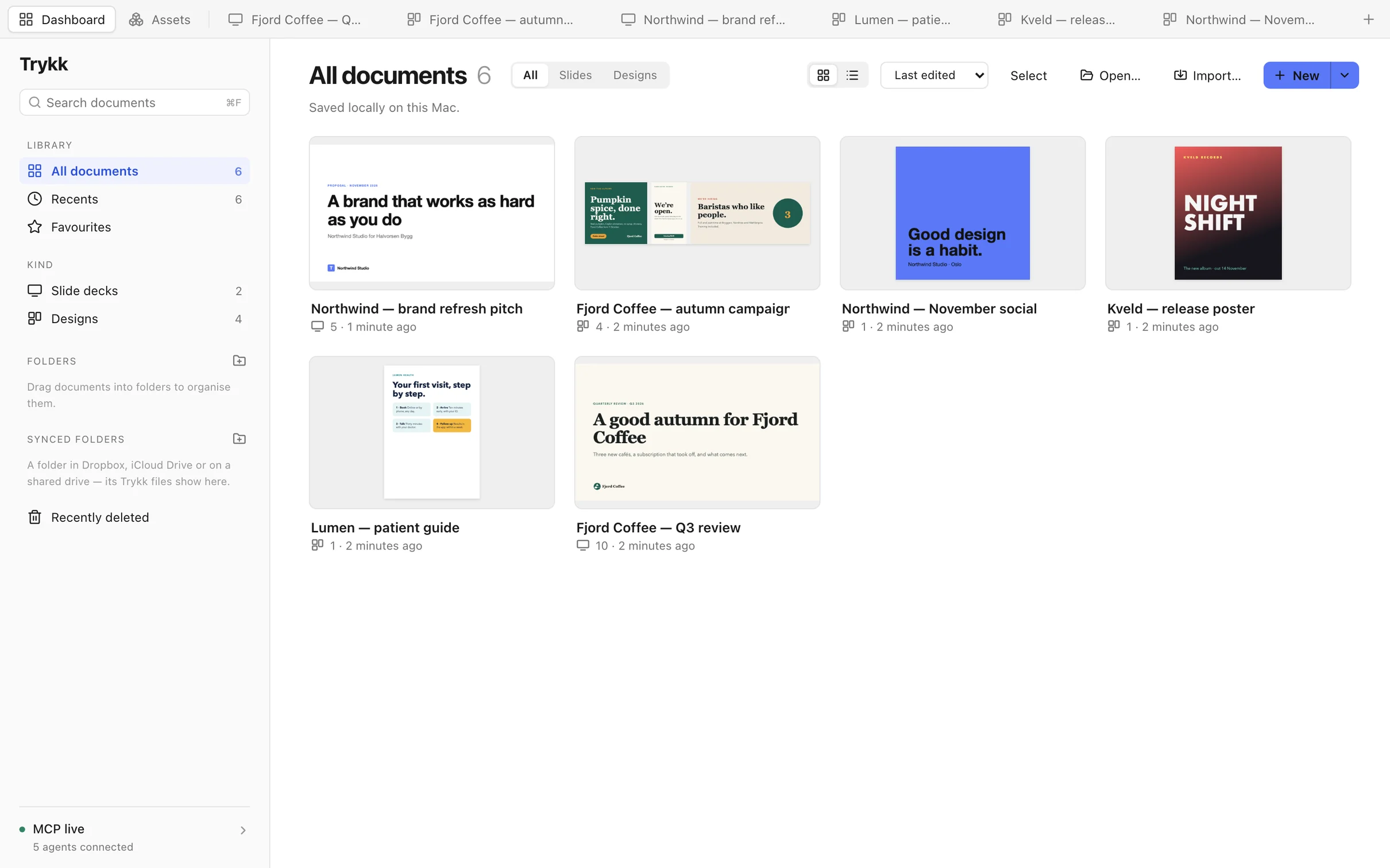
- Tabs. Every document in its own tab, next to the Dashboard and Assets — your brands and components.
- Slides. Reorder and duplicate slides, or see them all side by side on the board.
- Tools. Text, shapes, lines and arrows, the pen and the pencil, images and SVG.
- The canvas. What you see is what you export: the same renderer draws your PDF, PNG and SVG.
- Properties. Only the settings the selection has. For a chart that's its type, data and style.
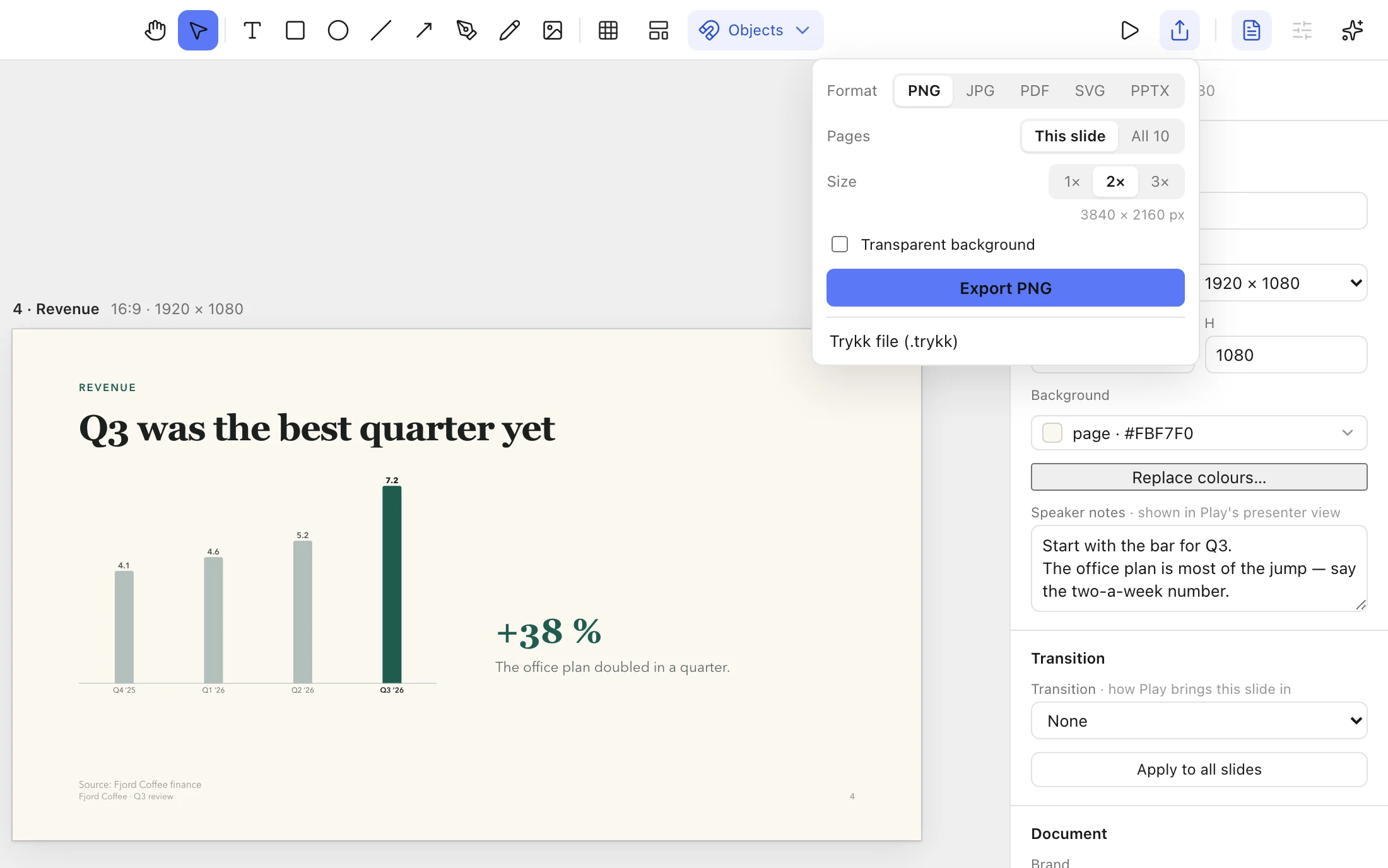
- Play and export. Present from this slide, or export it as PDF, PNG, SVG or PowerPoint.
In the beta
Every feature, on screen.
All of this is in the free beta. It runs on your Mac and saves to local files.
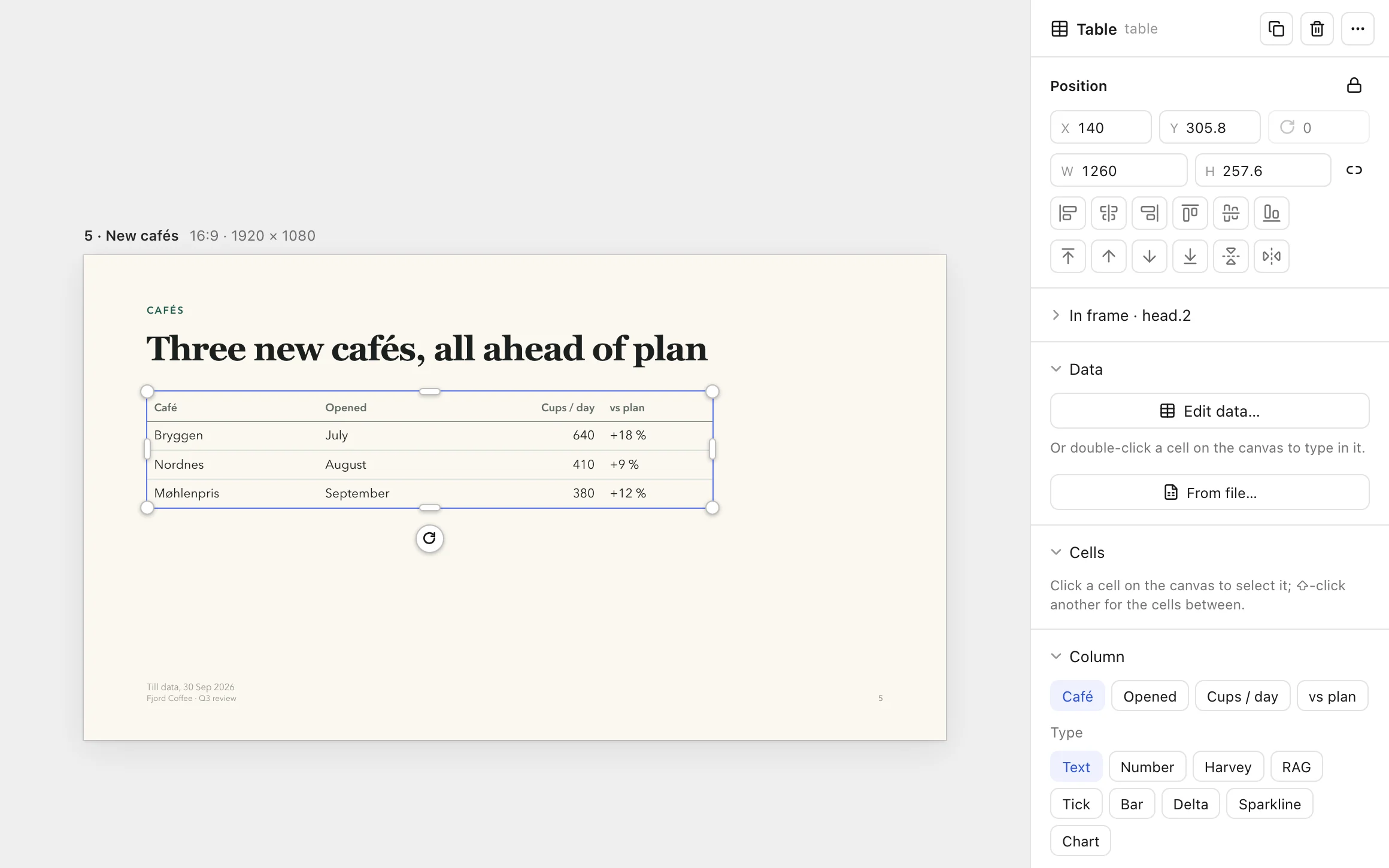
Slide decks
One size for every slide. Start from sixteen slide templates in your brand, from title and agenda to big number, chart, table and timeline.
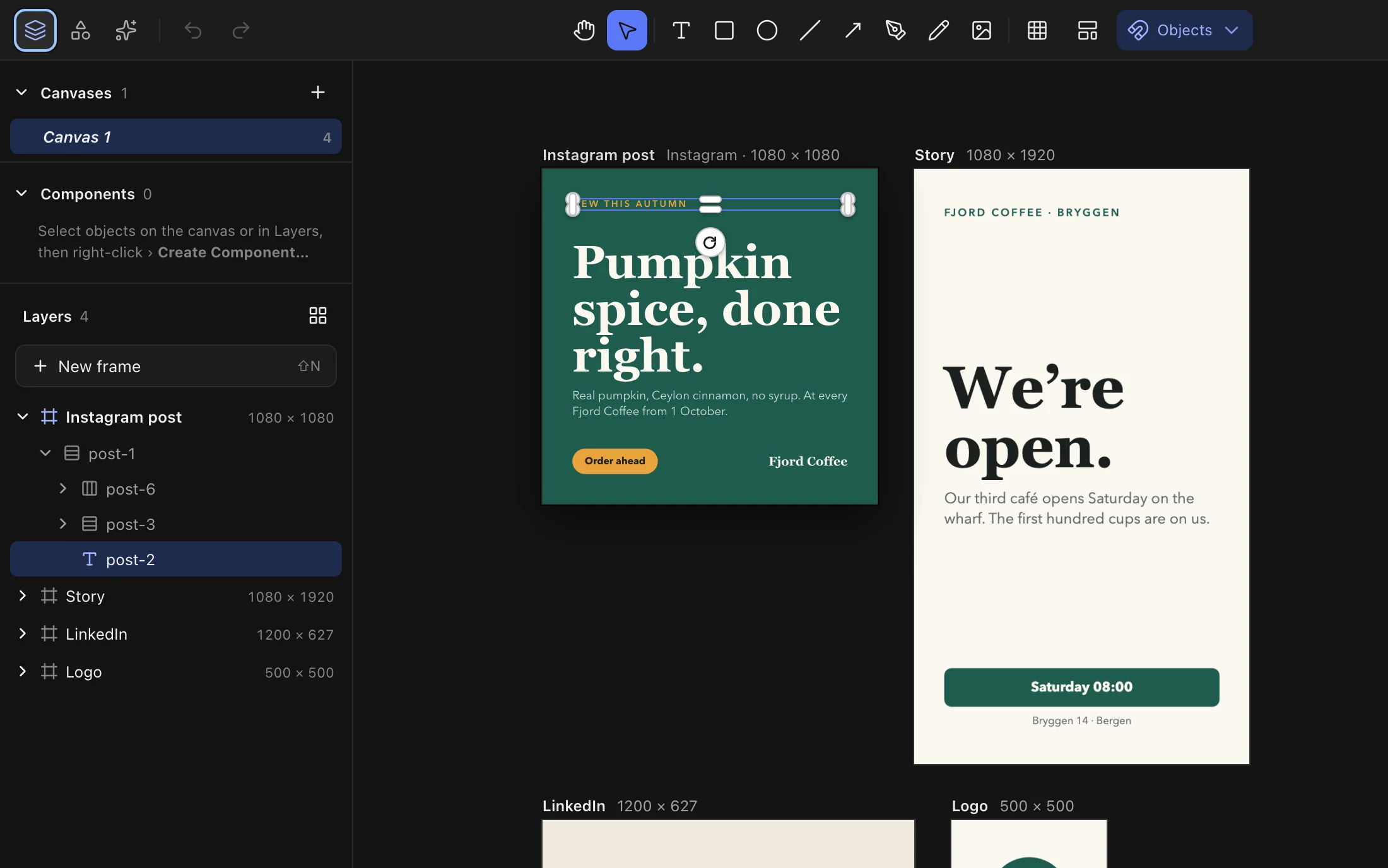
Designs
Many canvases, each with its own size: Instagram post and story, LinkedIn, logo or custom, up to 100,000 px.
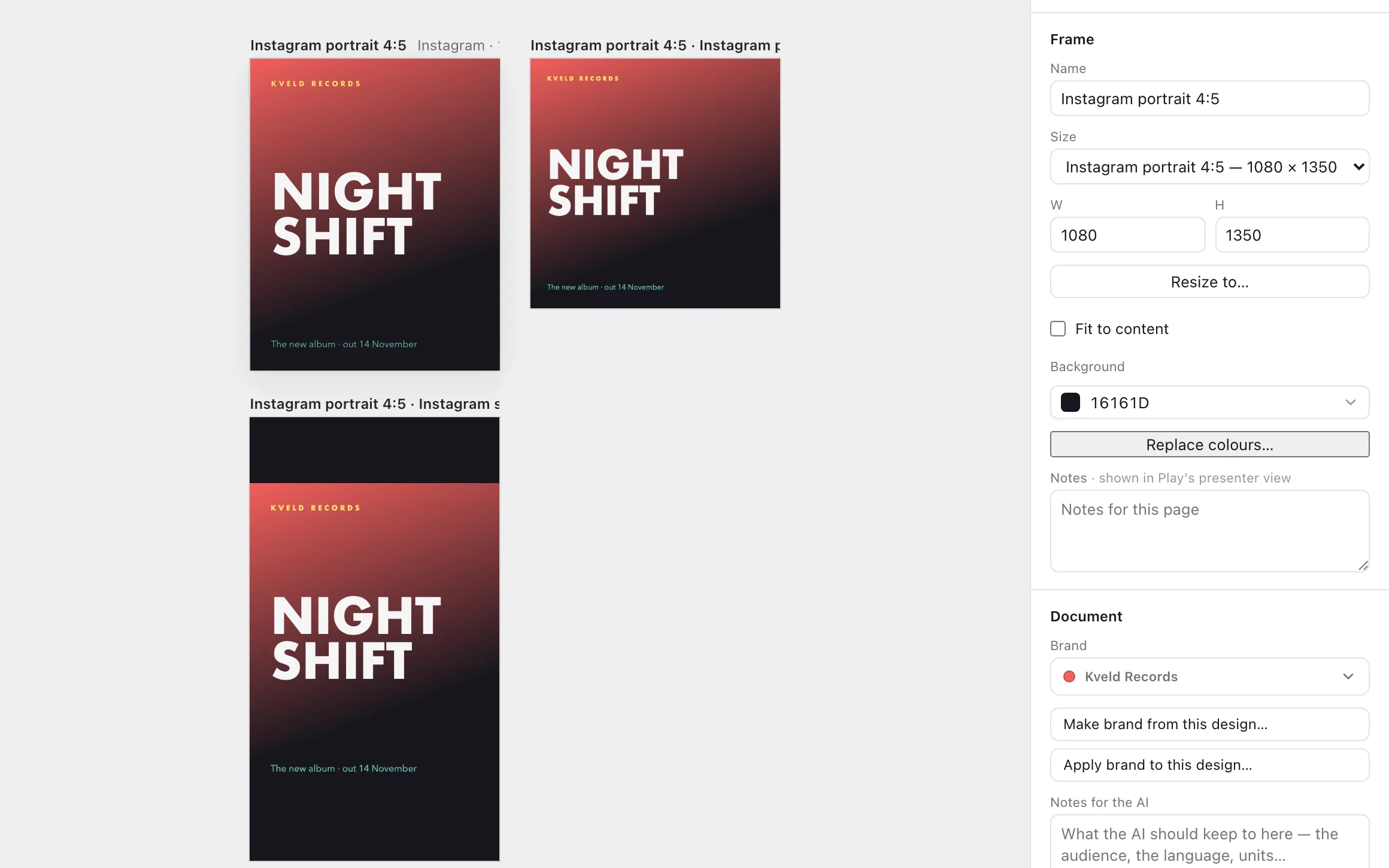
Resize to any size
Turn a poster into a story or a square post in one step. Trykk copies the canvas and lays it out again; the original stays as it is.
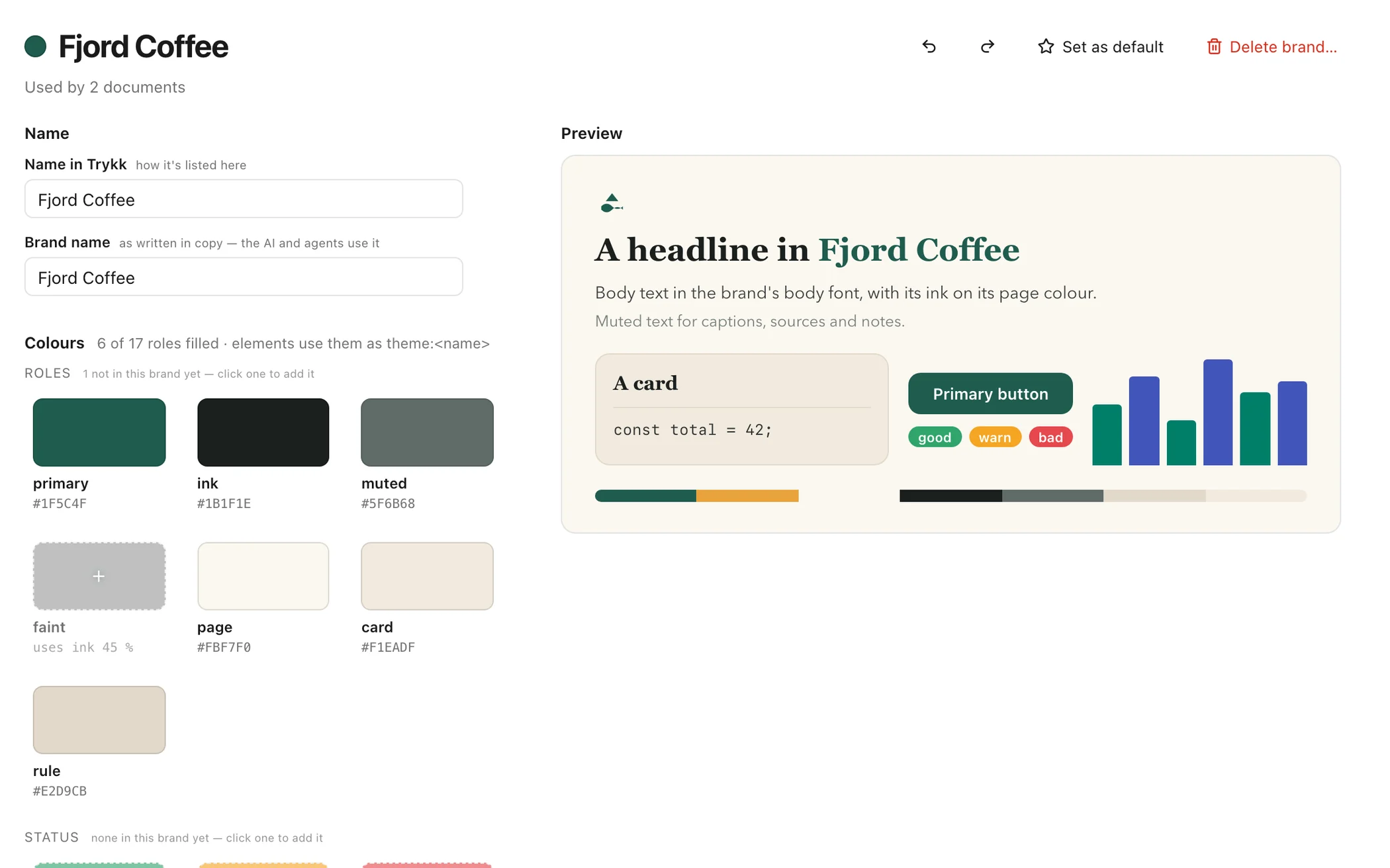
Brand kits
Colours, fonts and logos for every brand, shared by every document. Change one and each document using it re-colours live.
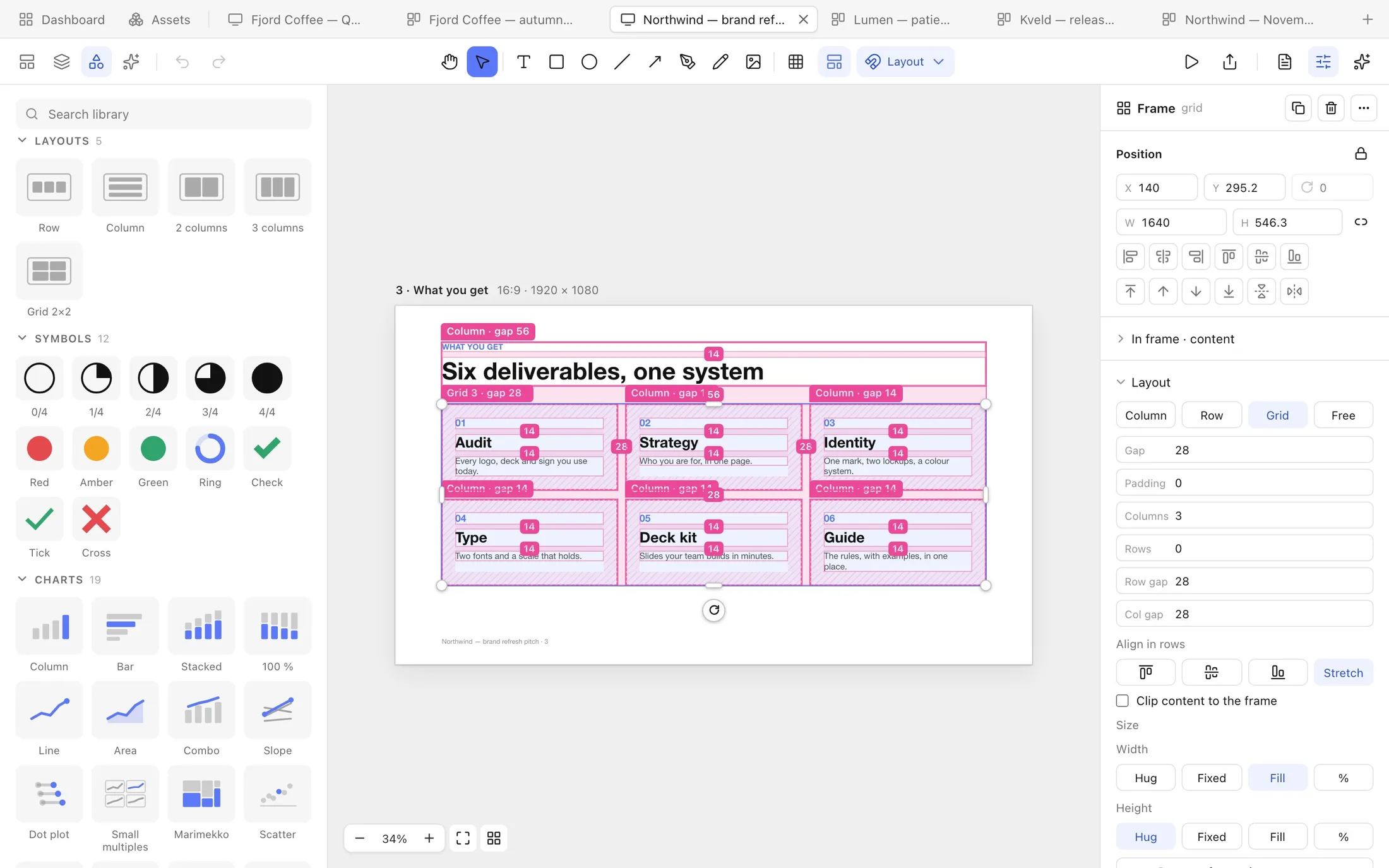
Auto layout
Rows, columns and grids that arrange what is in them. Drag things in, resize to fill a column, and see every gap and padding in the Layout view.
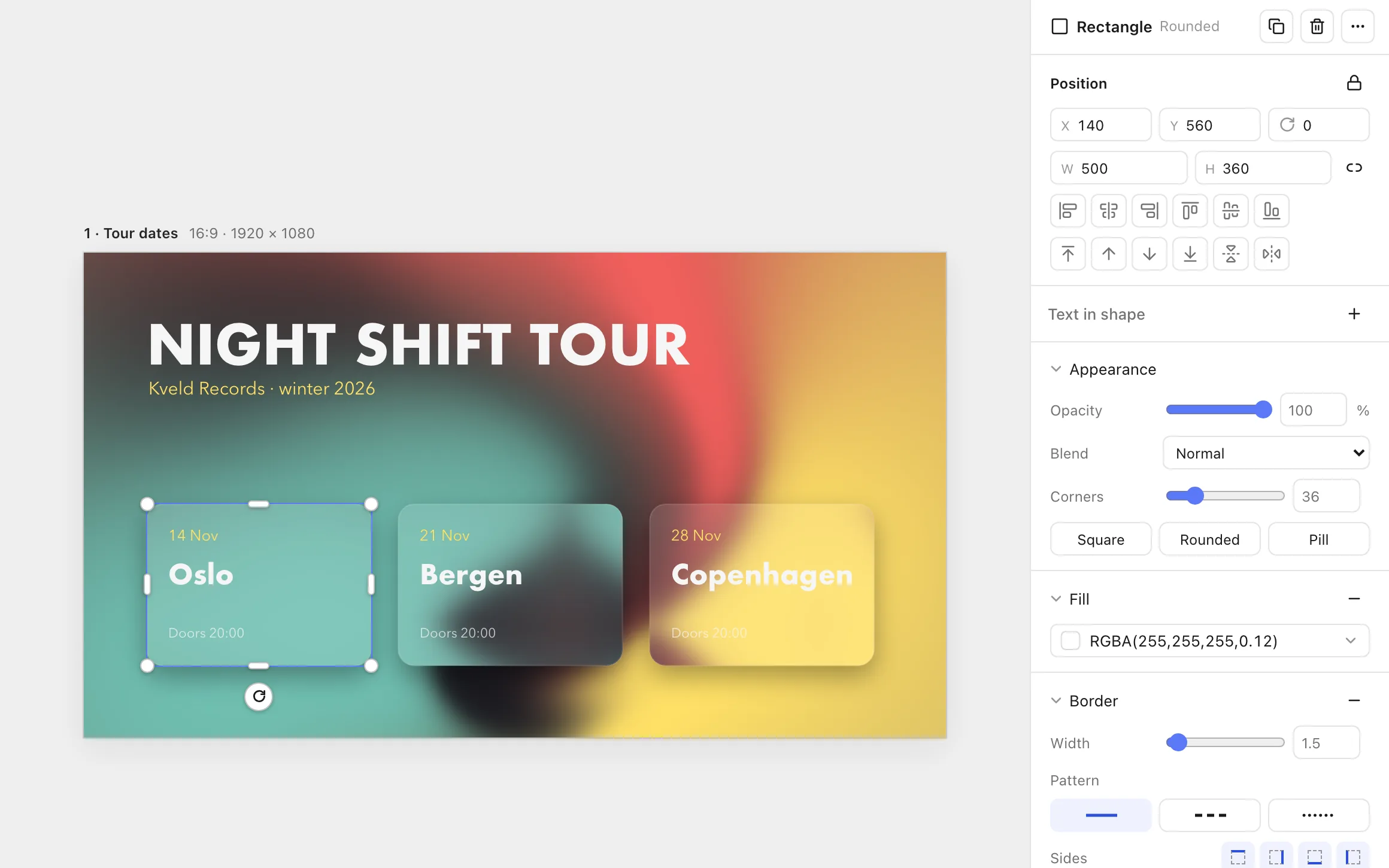
Shaders and effects
Animated shader backgrounds that move on screen and in Play, under frosted glass, shadows, blurs, reflections and 3-D.
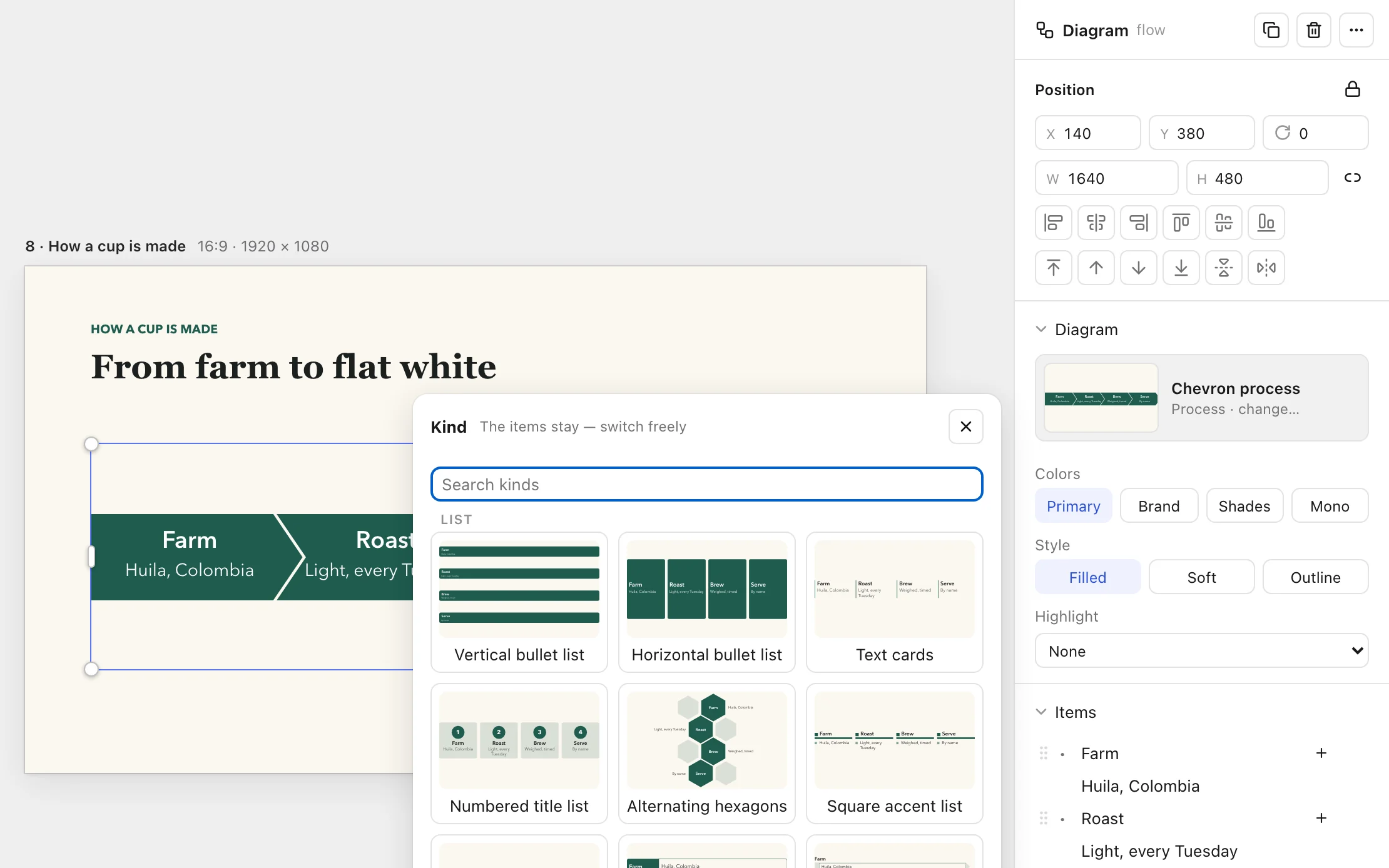
Smart diagrams
78 kinds of process, cycle, hierarchy, matrix, pyramid and timeline. Type the items and Trykk draws the shapes. Switch kind and the items stay.
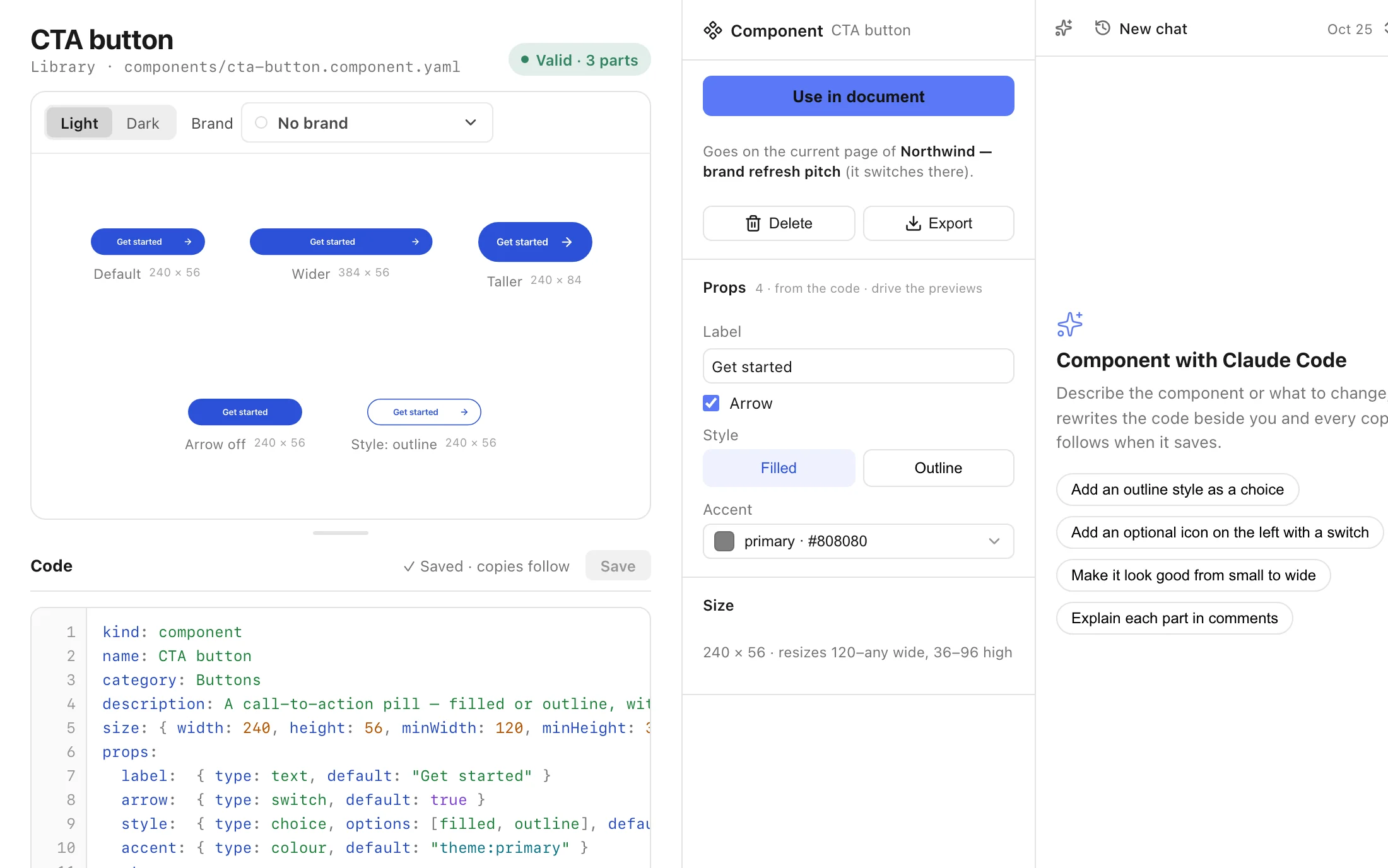
Components
A button, a stat card, a team grid: made once, with props, and placed anywhere. Every copy follows your changes, or you detach one.
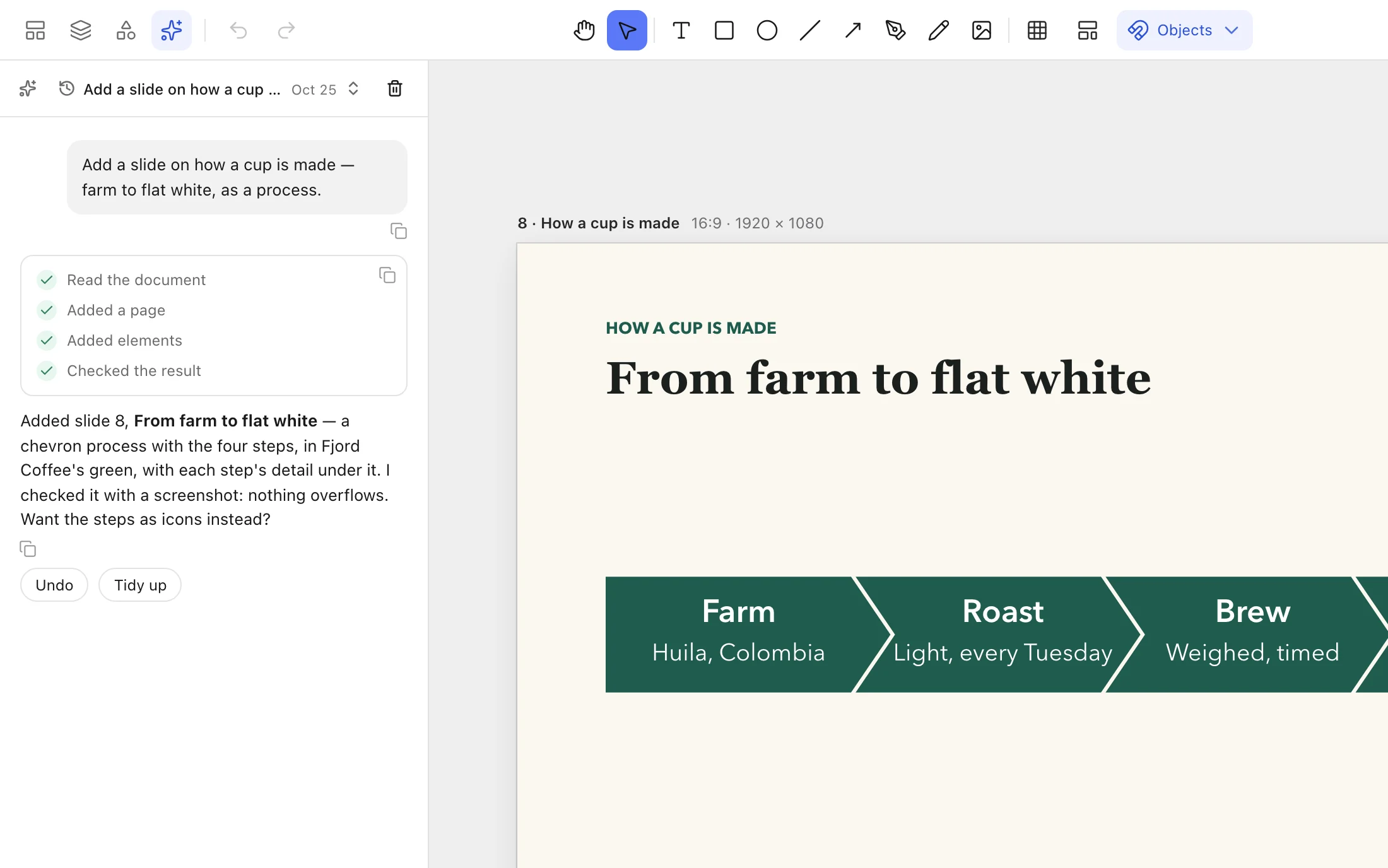
AI beside your slides
Claude Code or ChatGPT in the sidebar, on your own subscription. It lists each step it takes, and Undo takes back a whole turn. Copy a reference to a slide or a selection (⇧⌘C) and hand it to any agent.
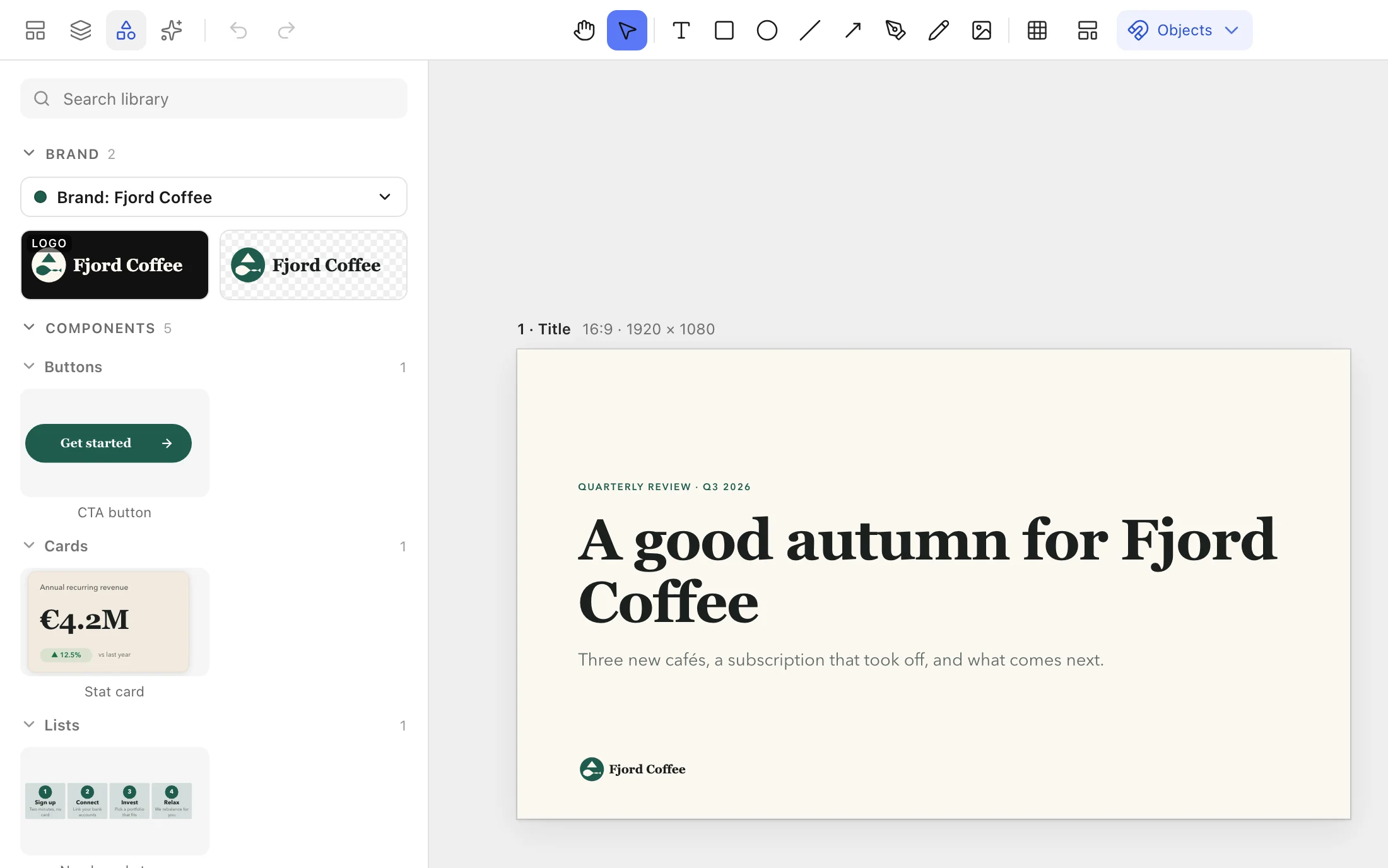
Library
Your brand's logos, plus shapes, layouts, icons, charts, tables, components and dynamic text such as page numbers, ready to place.
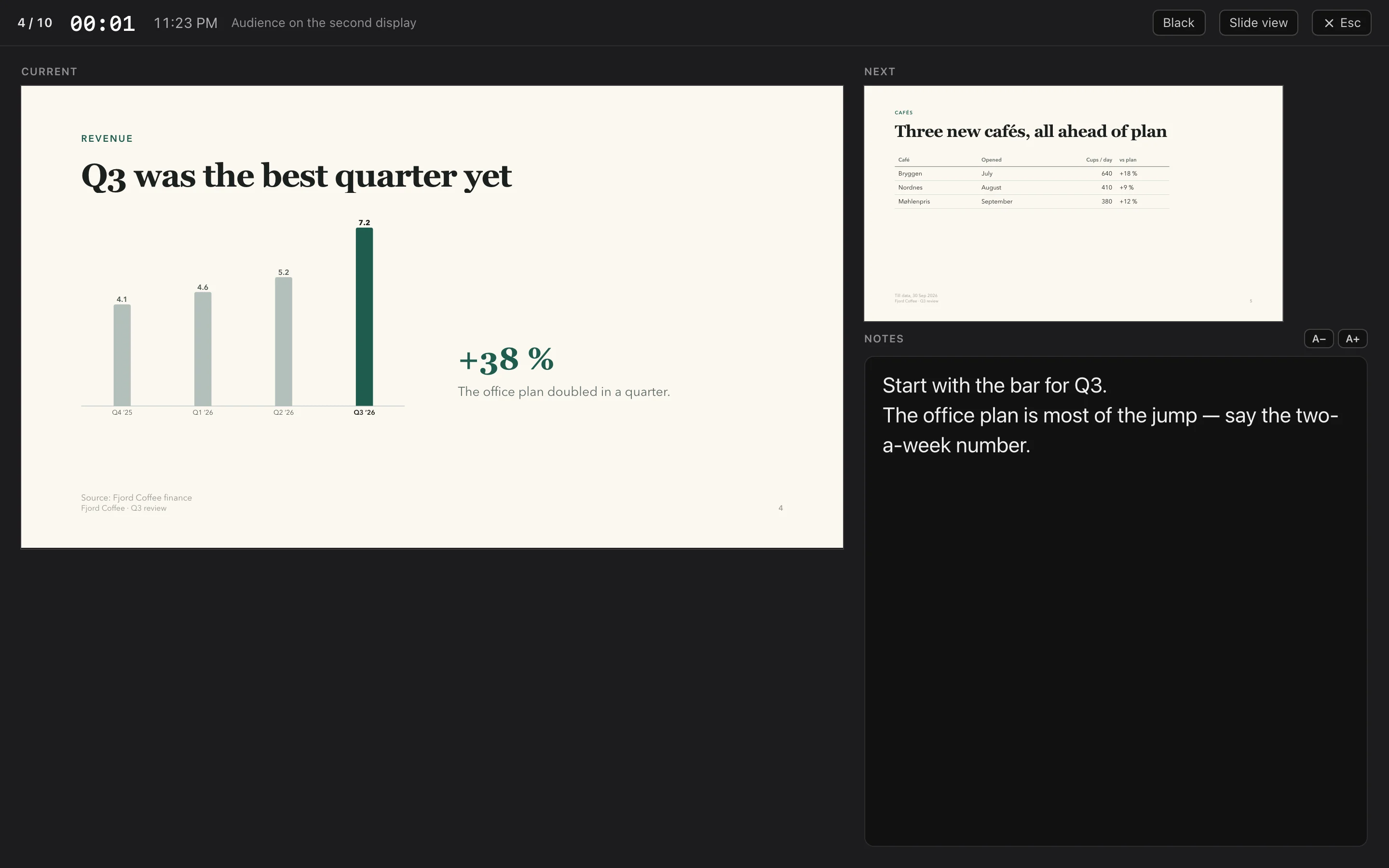
Present
The audience sees the slide, on a second screen if you have one; you see the next one, your notes and the time. Transitions, builds and hidden slides, with Keynote's keys.
Export anything
PDF with real text and embedded fonts, PNG and JPG at up to 3×, SVG, and PowerPoint with editable slides. Or copy a slide or a selection as PNG or SVG.
A home for your work
Decks and designs side by side, with folders, favourites, search and synced folders in iCloud Drive or Dropbox.
Your files
Bring your work with you.
In
- PowerPoint
.pptxand Keynote.key: they open as editable slides. - Figma designs
.figand Figma Slides.deck, with auto-layout and pages. - SVG as editable paths: a logo or an icon you can reshape with the pen.
Out
- PowerPoint
.pptxwith editable slides, for whoever still needs one. - PDF, PNG, JPG and SVG, from one slide to the whole deck.
- Trykk
.trykk: one file, yours, on your Mac.
Choose File › Open… or drop files onto the Dashboard. Imports can differ from the original in places, so keep your originals.
For agents
Your agents can build here too.
While Trykk is open, it runs a small MCP server on your Mac. Any agent you point at it can create decks and designs, add slides, charts and diagrams, and check its own work with a screenshot.
An agent never takes you to another document or slide. It works in the background and marks the slides it changed.
# the address and token: Trykk › Dashboard › MCP live
url   http://127.0.0.1:43140/mcp
auth  Bearer <your token>

# some of what an agent can do
create_document     add_page {layout}
add_elements        update_elements
set_document_brand  import_file
screenshot          export {pptx|pdf|png}
The facts
- A real Mac app
- Native Swift and the system's WebKit. About 4 MB to download. macOS 12 or later on Apple silicon.
- Your files
- Documents, brands and fonts stay on your Mac. No account and no cloud. It works offline.
- Your AI
- Claude Code or ChatGPT on the subscription you already have, or none at all.
- Free in beta
- No key needed while Trykk is in beta. From release: €79 once, a licence for life.